You can print your presentations in a sleek and uniform design. In those presentations, you have a number of options for designs for your cover page! Follow the instructions below and learn how to set your cover page design in your PDF presentations!
 Note: When changing the PDF cover page design, the web cover page will also change to a matching cover. Available options are determined by the brokerage.
How to select a cover page design!
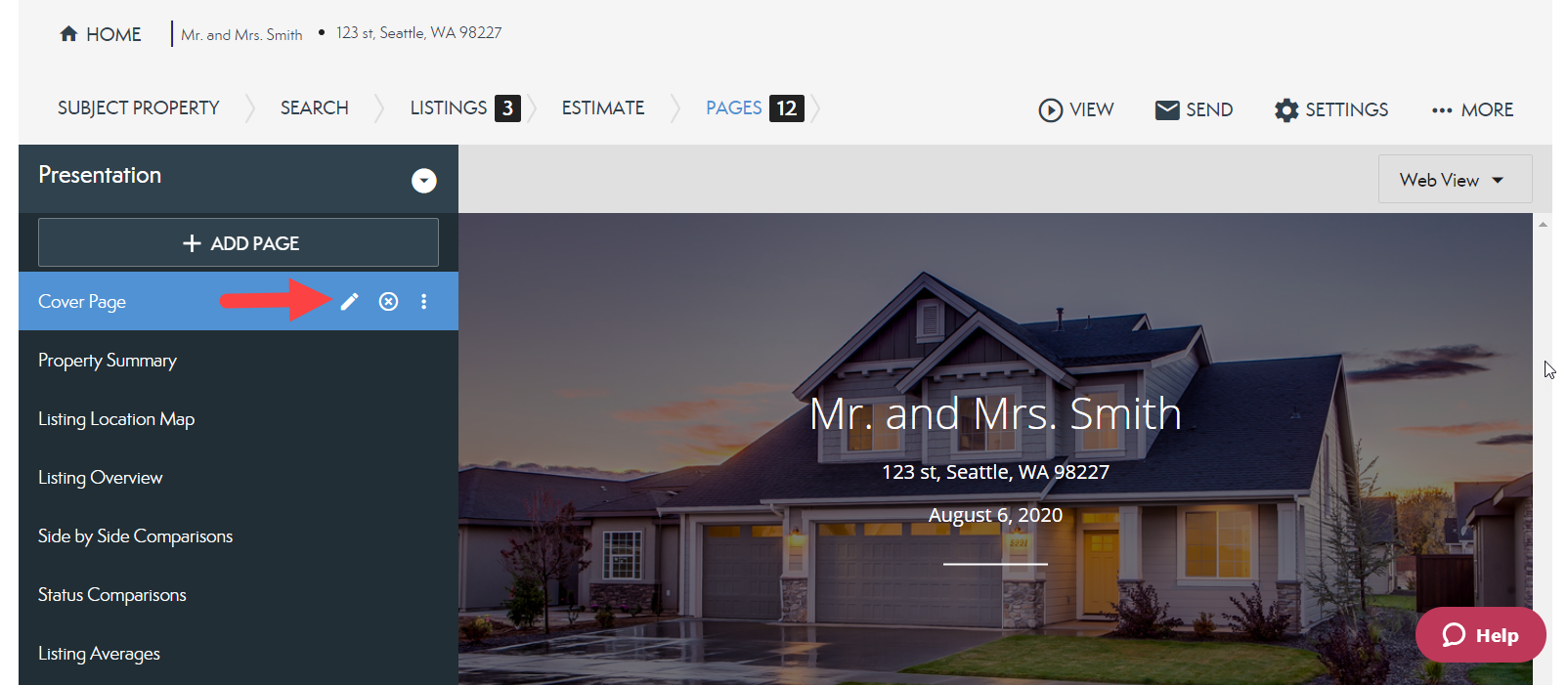
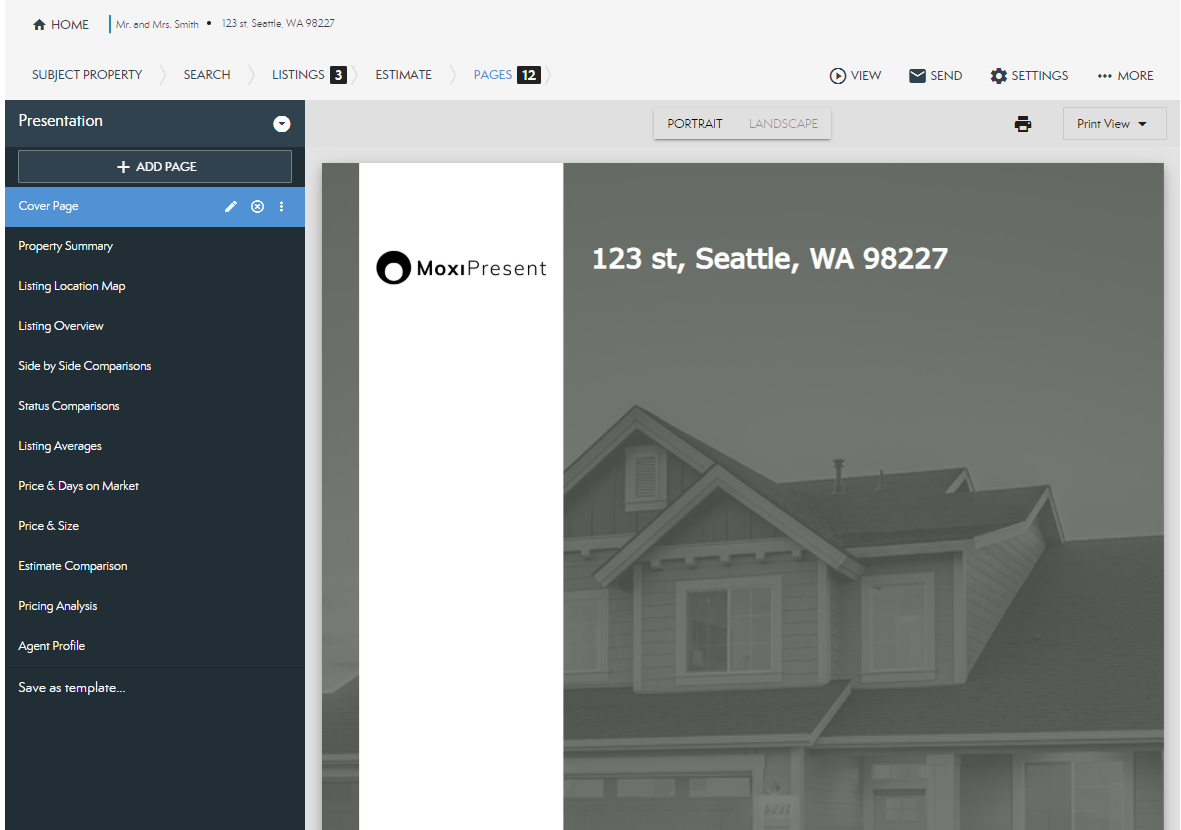
- From your Pages tab, select the Pencil icon on your cover page (see below).
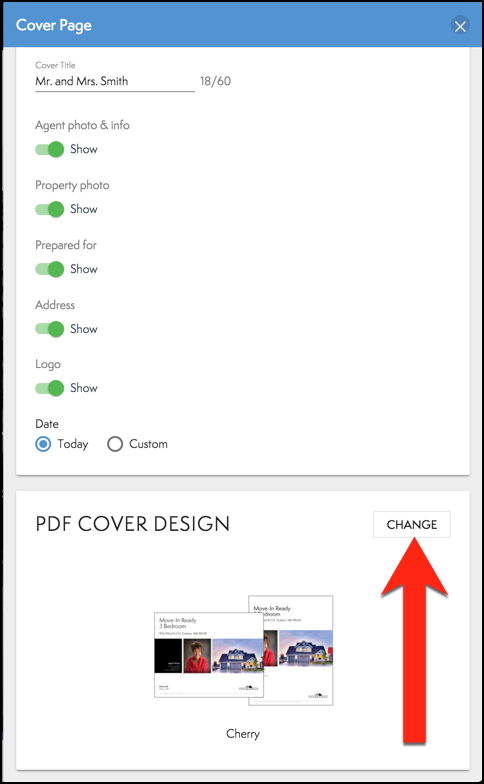
- From the connected panel, select the Change (see below).
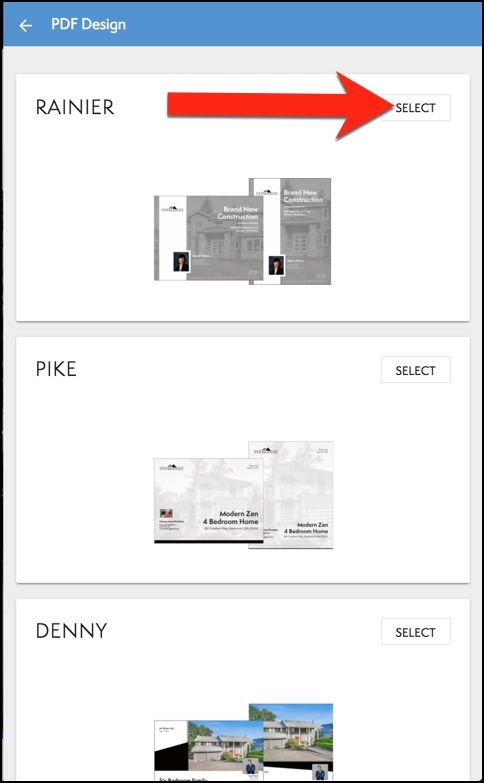
- From here, you can see all the options you have for your PDF cover page. Choose the Select button on the design you would like to use (see below).
- To see the PDF cover page, select the drop-down menu in the top right corner, and select Print View (see below).
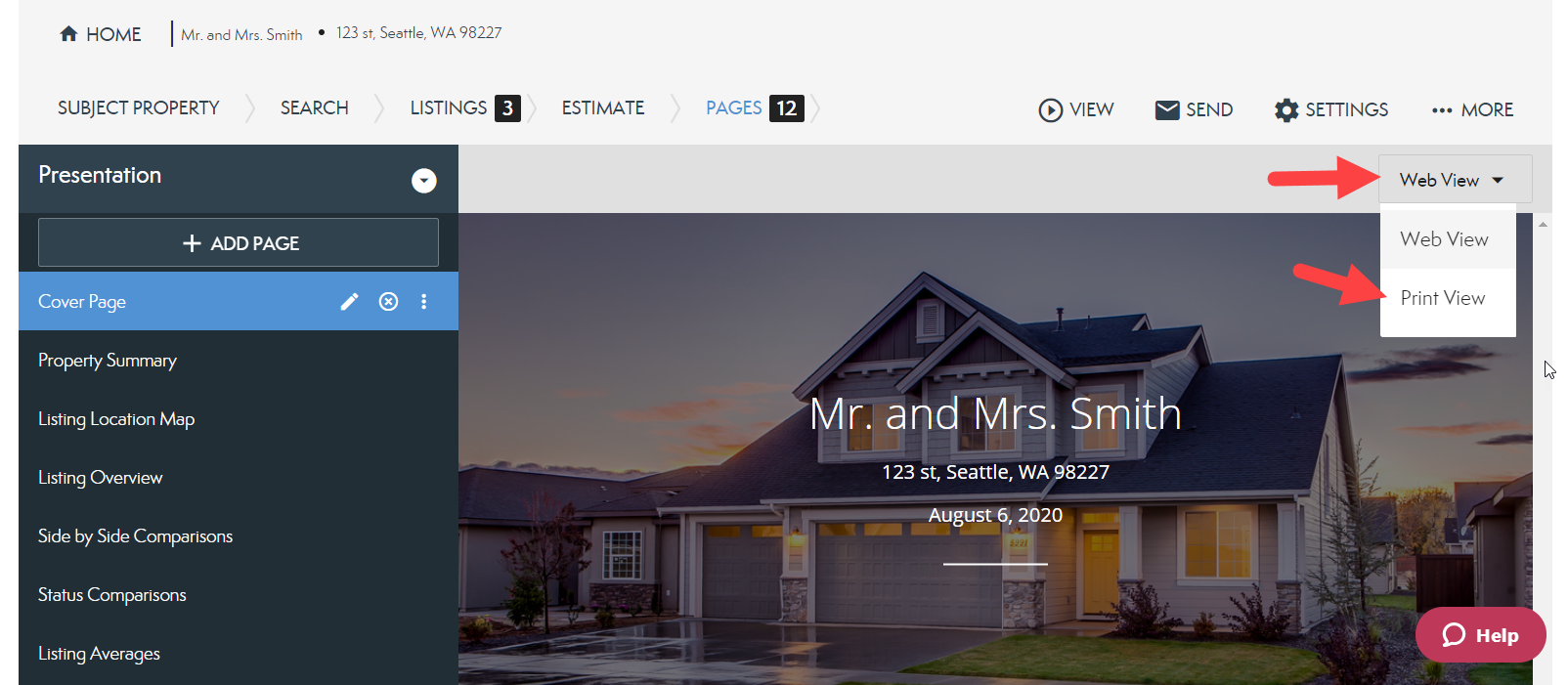
- You will now see your PDF cover page!
Comments
0 comments
Please sign in to leave a comment.