The Annual Property Review is a great way to stay in flow with your past buyers and sellers. With the Property Review Presentation Type, you can easily create an annual property review with a curated set of report pages to highlight the data most important to your client and you.
To create your Property Review, follow the steps below.
- Select Create New from the upper right

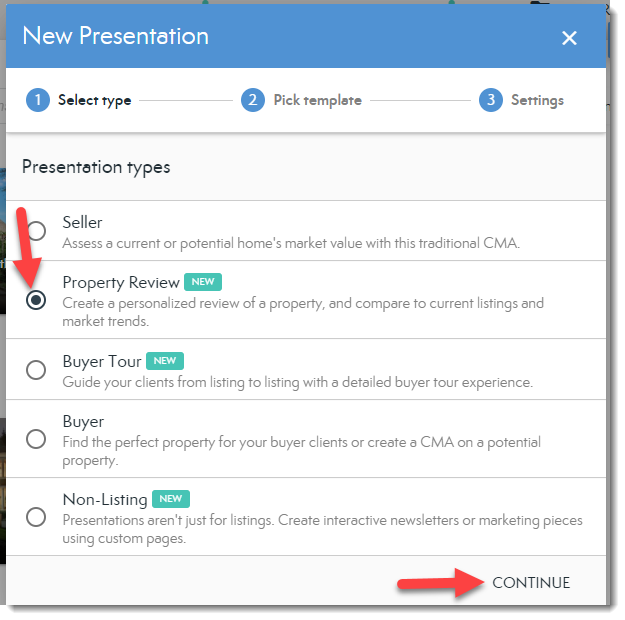
- Select Property Review Presentation type, then Continue
- Chose your template, then Continue
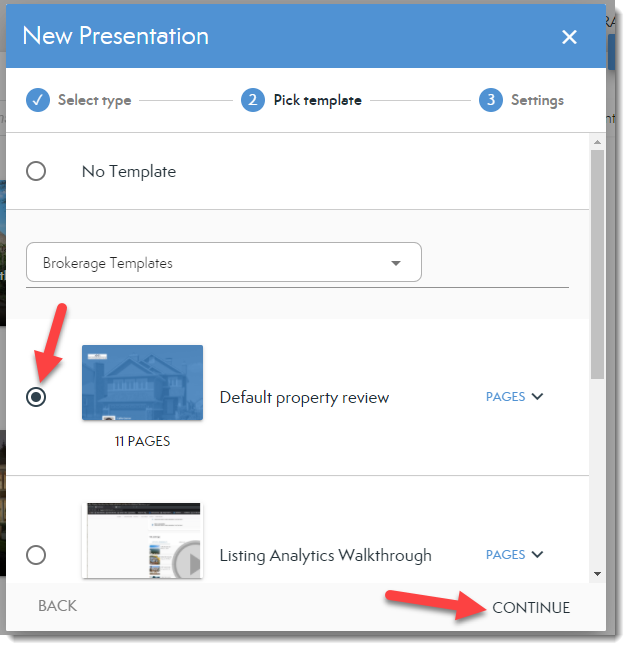
 NOTE: The template is what adds pages to your presentation. If you choose No Template you will need to add pages before sending your presentation.
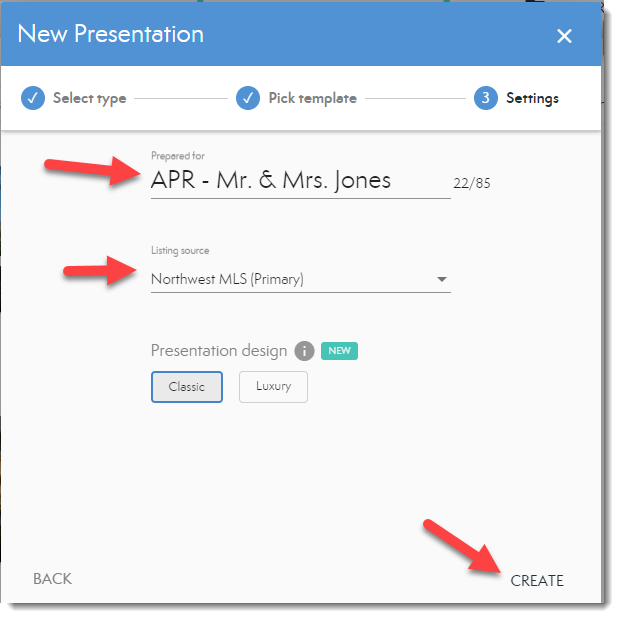
 - Add your presentation title in the Prepared for field, select a Listing Source from the drop-down if different from your default source, and then select Create.
NOTE: Report Pages included in the Default Property Review presentation are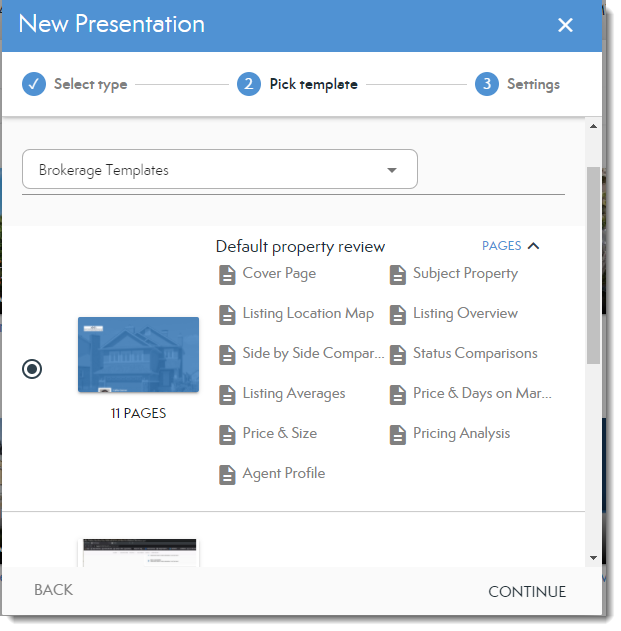
Comments
0 comments
Please sign in to leave a comment.