To print two copies of a standard postcard on the same piece of 8.5"x11" paper or stock:
- Click Projects on the main menu at the top of any page.
- Select the folder that contains the postcard project.
- Choose the project.
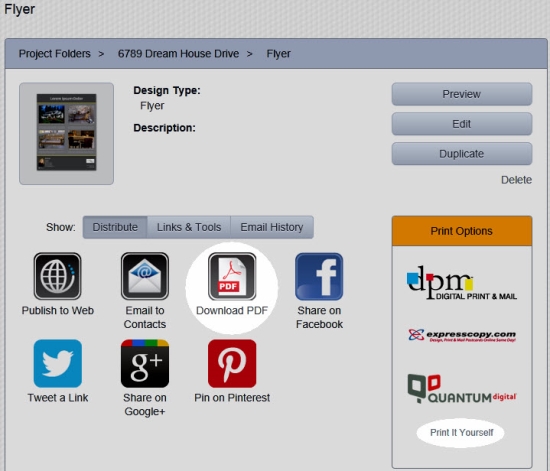
- Click Download PDF.
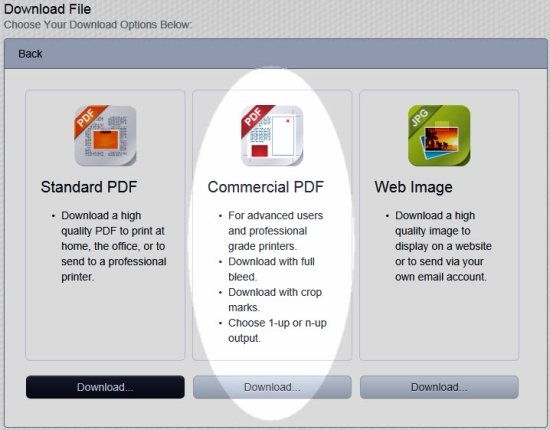
- Click the Download... button under "Commercial PDF".
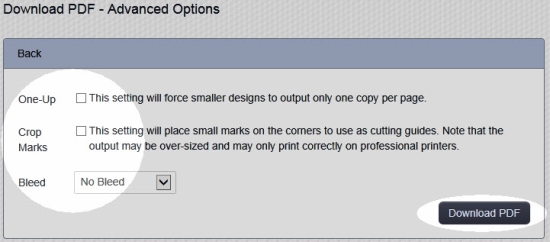
- Uncheck the box labeled One-up.
- Uncheck the box labeled Crop Marks.
- Set the "Bleed" menu to No Bleed.
- Click the Download PDF button.
- Follow the onscreen instructions to download and save the PDF file to your computer or mobile device.
Comments
0 comments
Please sign in to leave a comment.