To see if a project has been hosted as an IDX/Unbranded:
- Click Projects on the main menu at the top of any page.
- Select the folder which contains the project.
- Choose the project.
- Click on Links & Tools, below the thumbnail image of the design.
If the project has been hosted as IDX/Unbranded, the "Type" column will show IDX/Unbranded.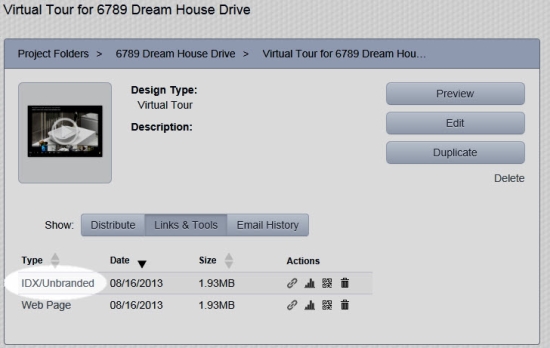
To get the link for the hosted project, under the "Actions" column, click the small link icon.
Comments
0 comments
Please sign in to leave a comment.