If you have recipients who provided implied consent to receive email from you, and you want to send email to them from your Marketing Center account without first having to set the consent on their address book entry, follow these steps:
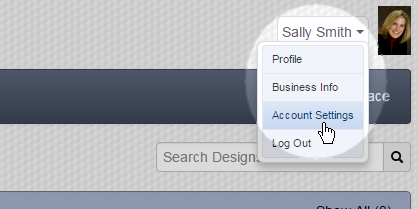
- Click on your name in the upper-right corner of any page.
- Select Account Settings in the resulting menu:
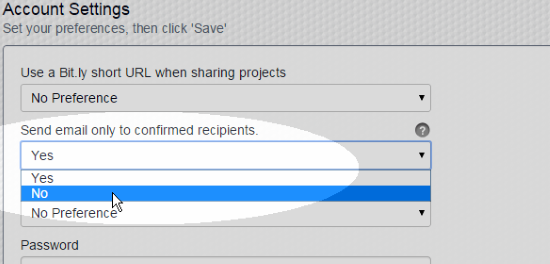
- Click on the menu labeled Send email only to confirmed recipients and set it to No:
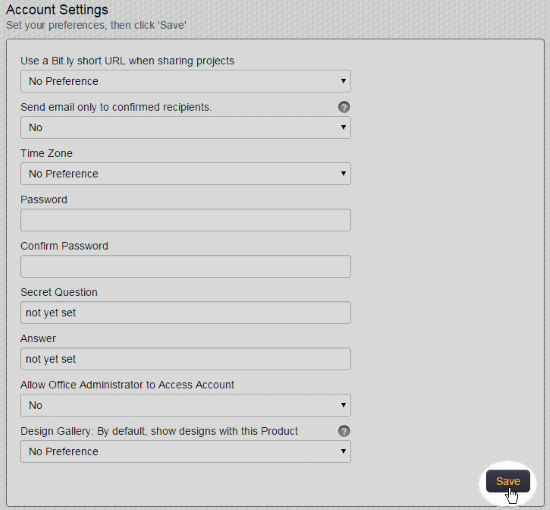
- Scroll down to the bottom of the page and click the Save button:
Note: This functionality is meant to help you comply with CASL (Canada) and CAN-SPAM (U.S.), but this functionality is not meant to guarantee compliance. The consent/opt-in requirements are only one element of these laws.
For more information about Canada's CASL law, click here.
For more information about the U.S. CAN-SPAM law, click here.
Comments
0 comments
Please sign in to leave a comment.