To locate the Photo Manager:
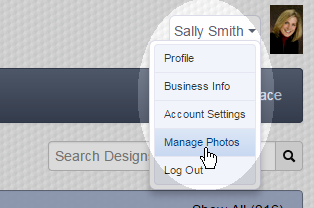
- Click on your name near the upper-right corner of any page.
- Select Manage Photos:
You are now in the Photo Manager with your project folders displayed. View photos from projects, view favorites, or create and maintain photo albums (separate from the project photos). As with project photos, images in photo albums can be used in any project.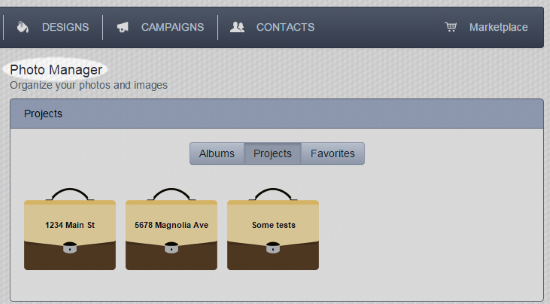
Comments
0 comments
Please sign in to leave a comment.