Many designs include the ability to display a second agent name. There are two different ways that a second agent's name may be included on a design template:
- Secondary Agent Name on the Agent tab
- Agent Name 2 fields on the Text tab
The image below is an example of the Secondary Agent Name field on the Agent tab:
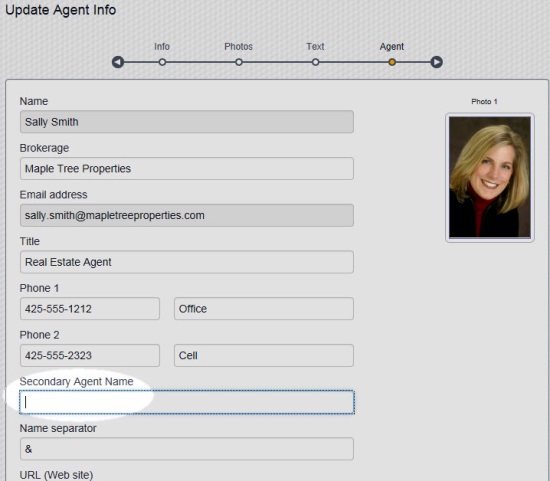
Note: The "Name Separator" field contents will only show appear in the project if you type something in the "Secondary Agent Name" field. The "Name Separator" is "&" by default, but you can change it if you wish. You can use other symbols or short words, such as "+", "and", "with" etc.
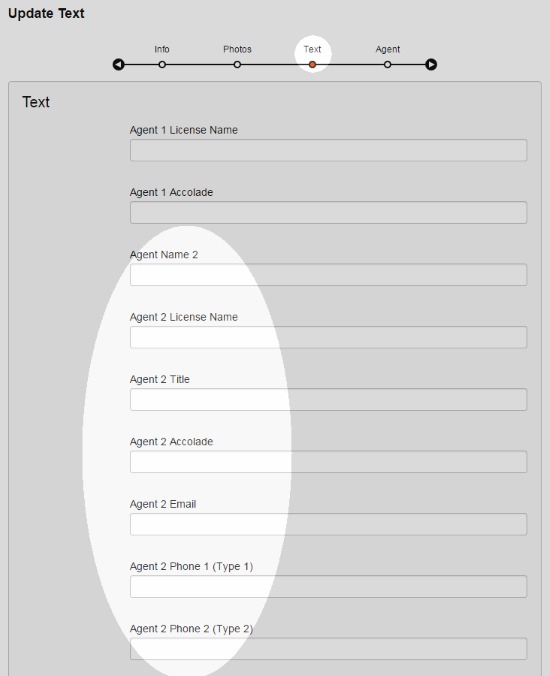
Designs in the design gallery that include "2 Agent" or "Team" in the design name contain fields for second agent or team information in the Text tab:
Comments
0 comments
Please sign in to leave a comment.