Printing a project from MoxiImpress lets you produce postcards for mailing and even provide flyers for a property.
You have several options for printing your finished projects:
- Download and print yourself.
- Download and take to your favorite local print shop for printing.
- Download for upload to your favorite online print shop's online order form.
- Print via the Marketing Center's integrated online print partners' services.
- Note: Not all project types can be sent to our online print partners due to limitations in the size and types of projects they can print.
To print a project:
- Select Projects from the main menu at the top of any page, (see below).

- Choose the folder with your project and then select the project to print.
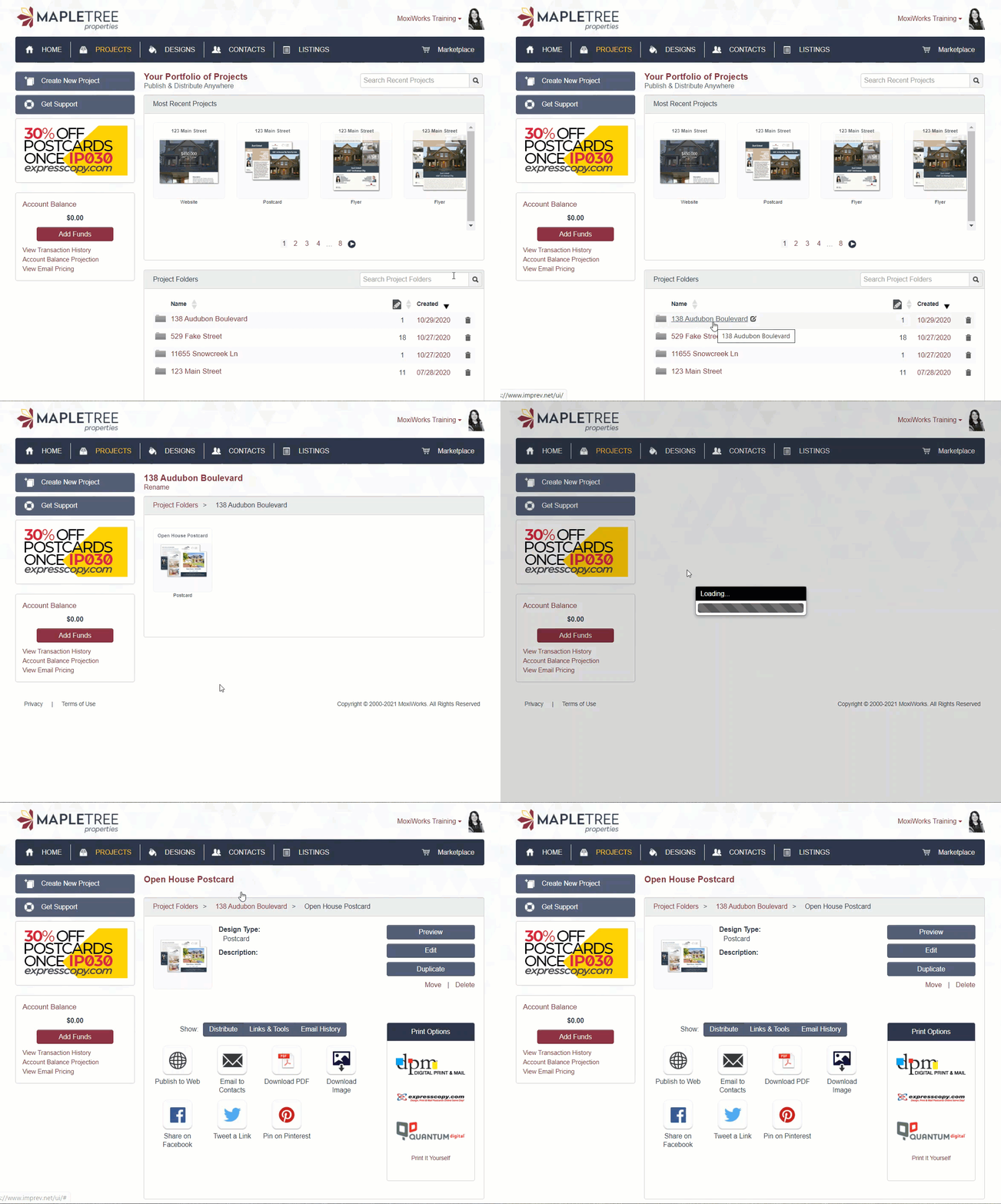
- To print on your office printer or send a PDF to a local commercial printer, Download PDF (see red arrow below).
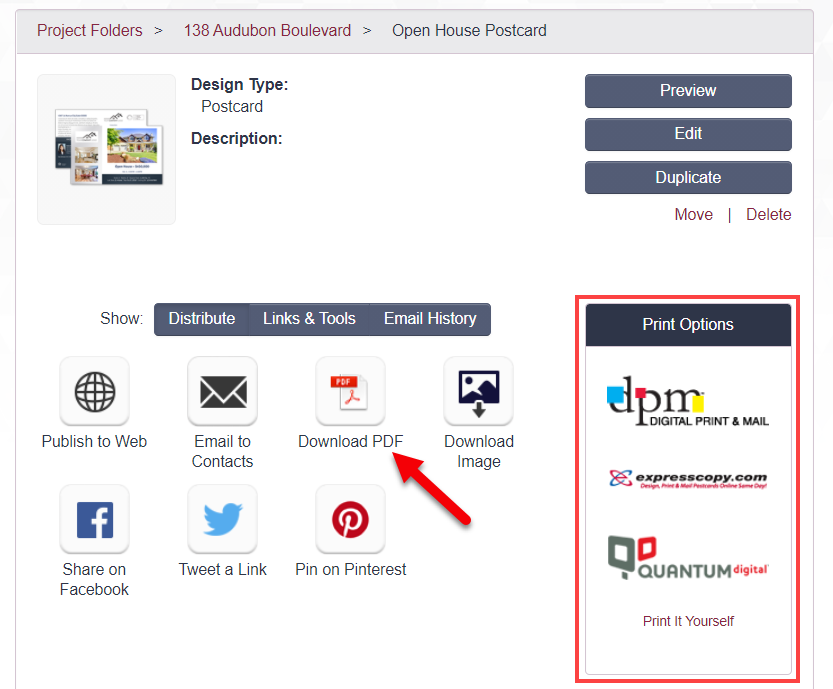
- If your brokerage has a printing partner, you may see them listed under Print Options (see red box above). Select your print options and then follow the partner process to complete the printing job.
Note: You may need to allow pop up windows in your browser to access a print partner website.
Comments
0 comments
Please sign in to leave a comment.