Permissions allow you to create content for specific regions, offices, and/or agents. Using permissions in Presentation Admin lets you create brokerage pages and templates for everyone or just a subset.
Whether you are permissioning a template, folder, or individual page, the process is the same.
- From your Present Admin screen, select the three dots next to the item you need to permission and choose Settings.
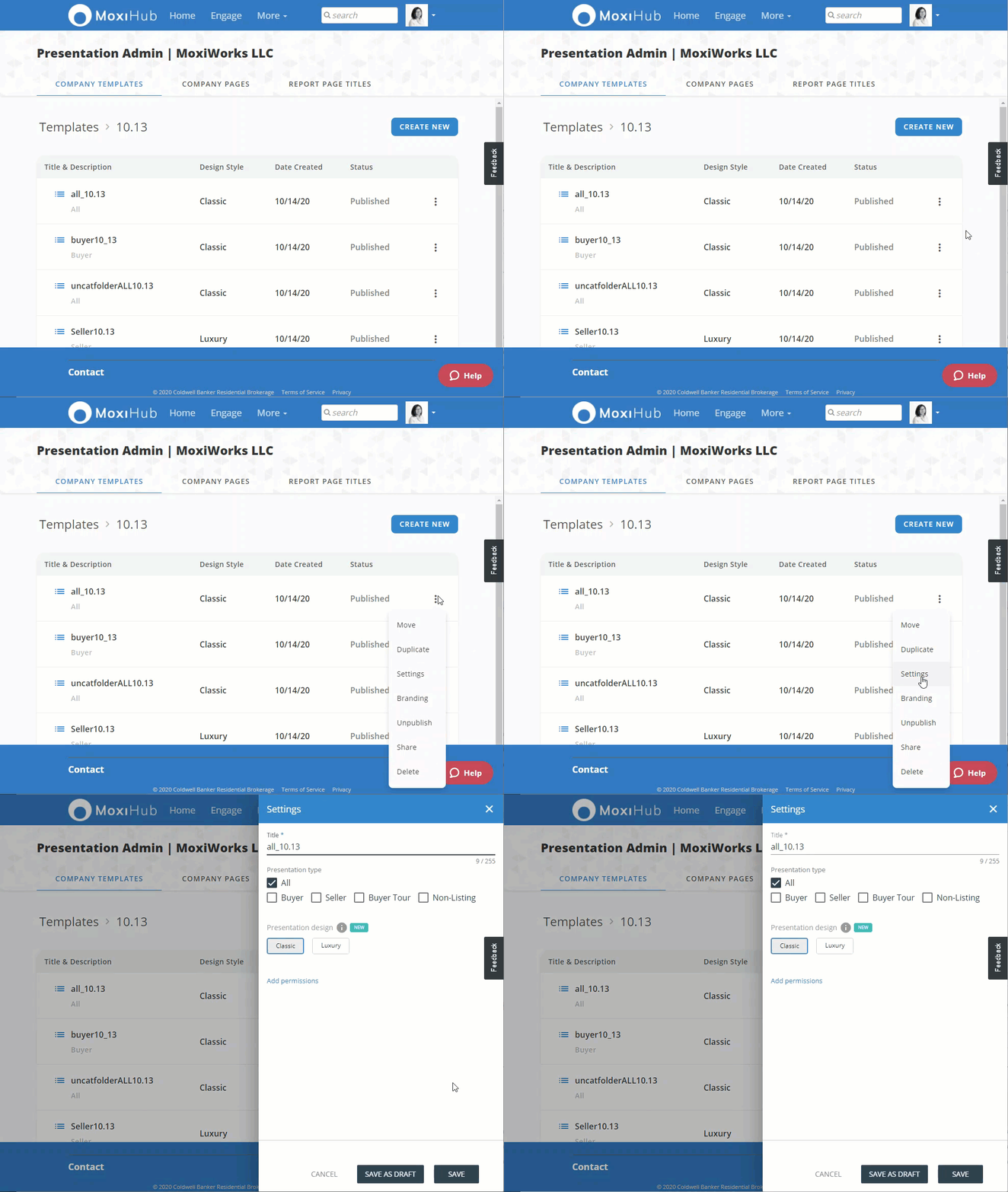
- Select Add permissions
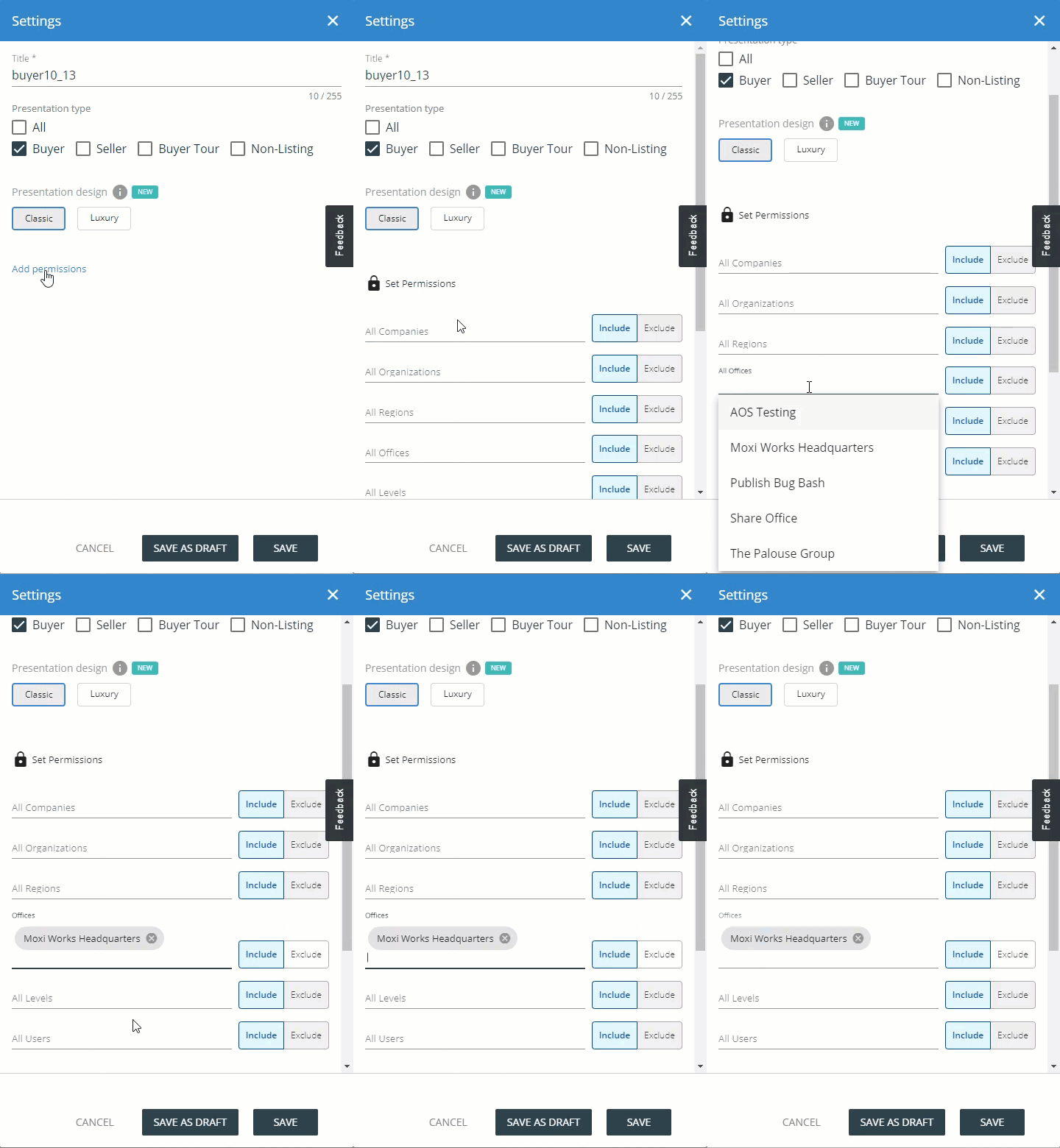
Chose which company, organization, region, office, user level, or users you need to include or exclude from seeing the content you've created.
Include: All those listed with the include permission will exclude all others.
Exclude: All users will be included except for those indicated.
Comments
0 comments
Please sign in to leave a comment.