Sometimes you may need to remove a contact from your running campaign but you don't want to stop the whole campaign. It's easy to remove specific contacts from a campaign if the campaign no longer fits the contact's needs.
Removing Contacts from a Campaign
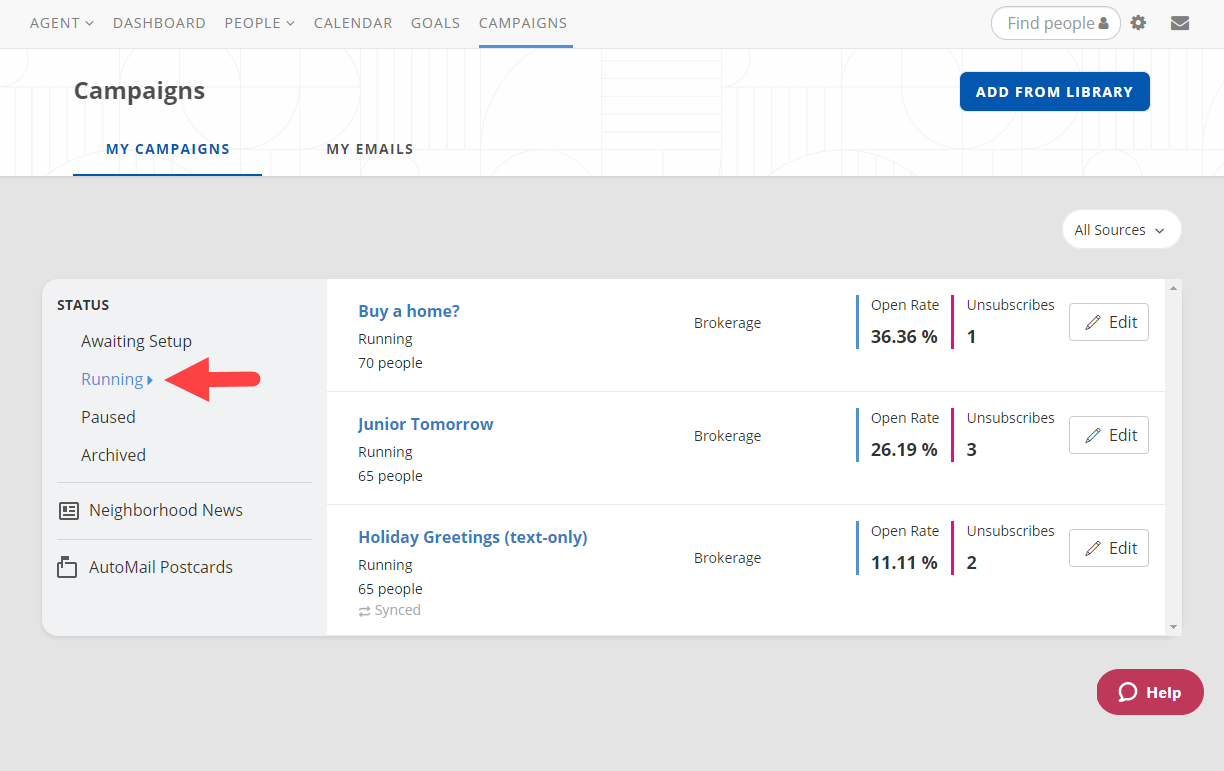
1. From your Campaign screen, choose Running to view your running campaigns (see below).
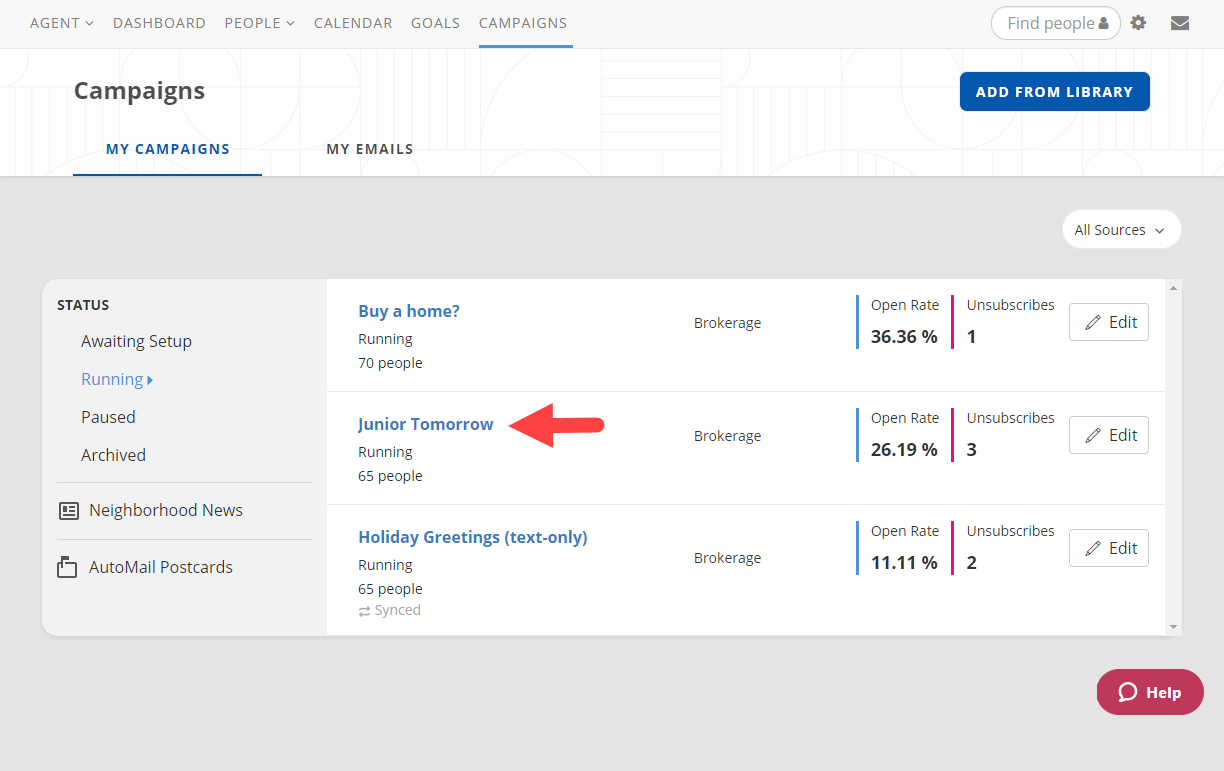
2. Select the title of the campaign you want to edit (see below).
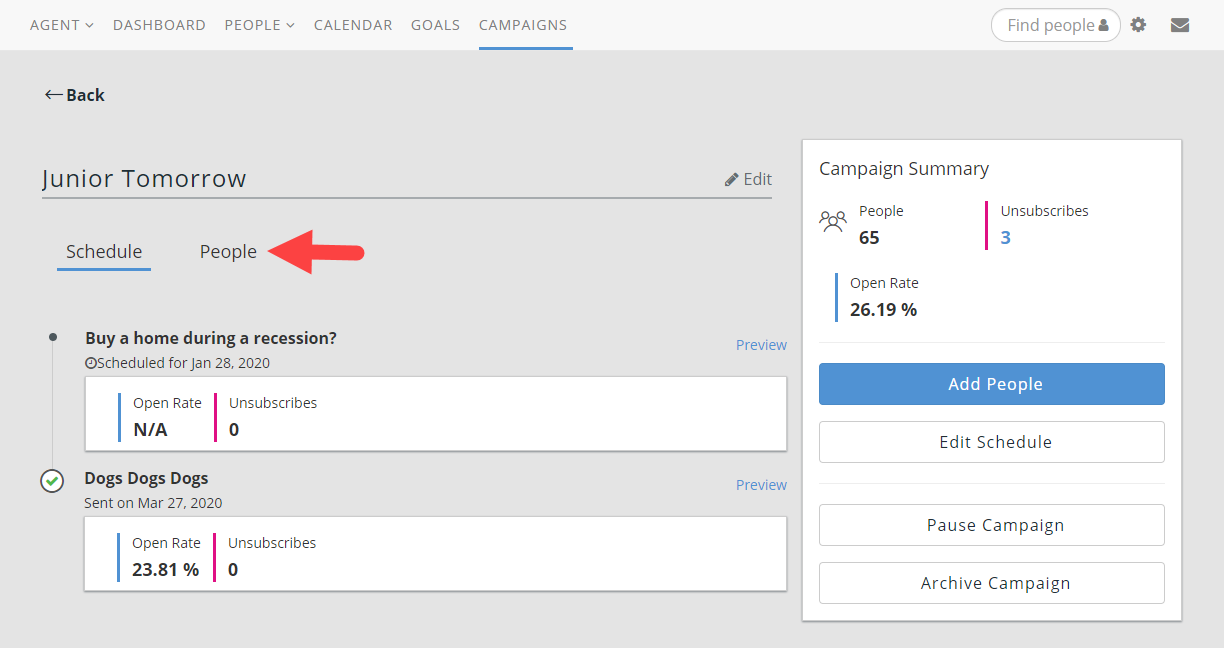
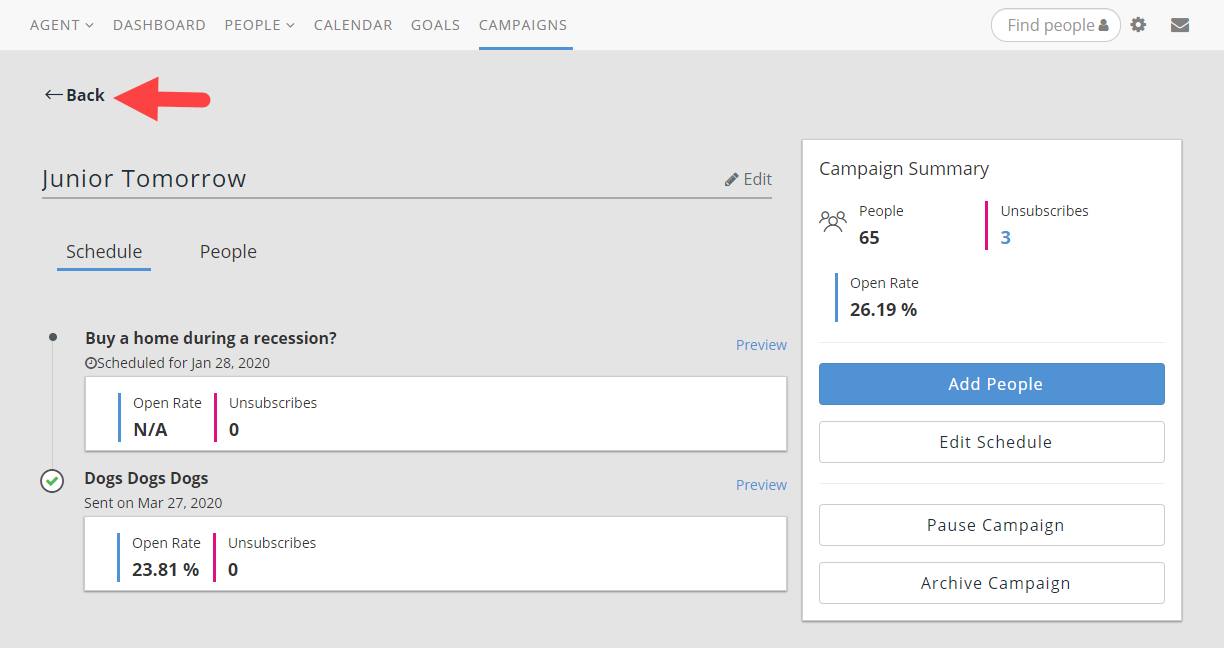
3. Choose the People tab next to Schedule (see below).
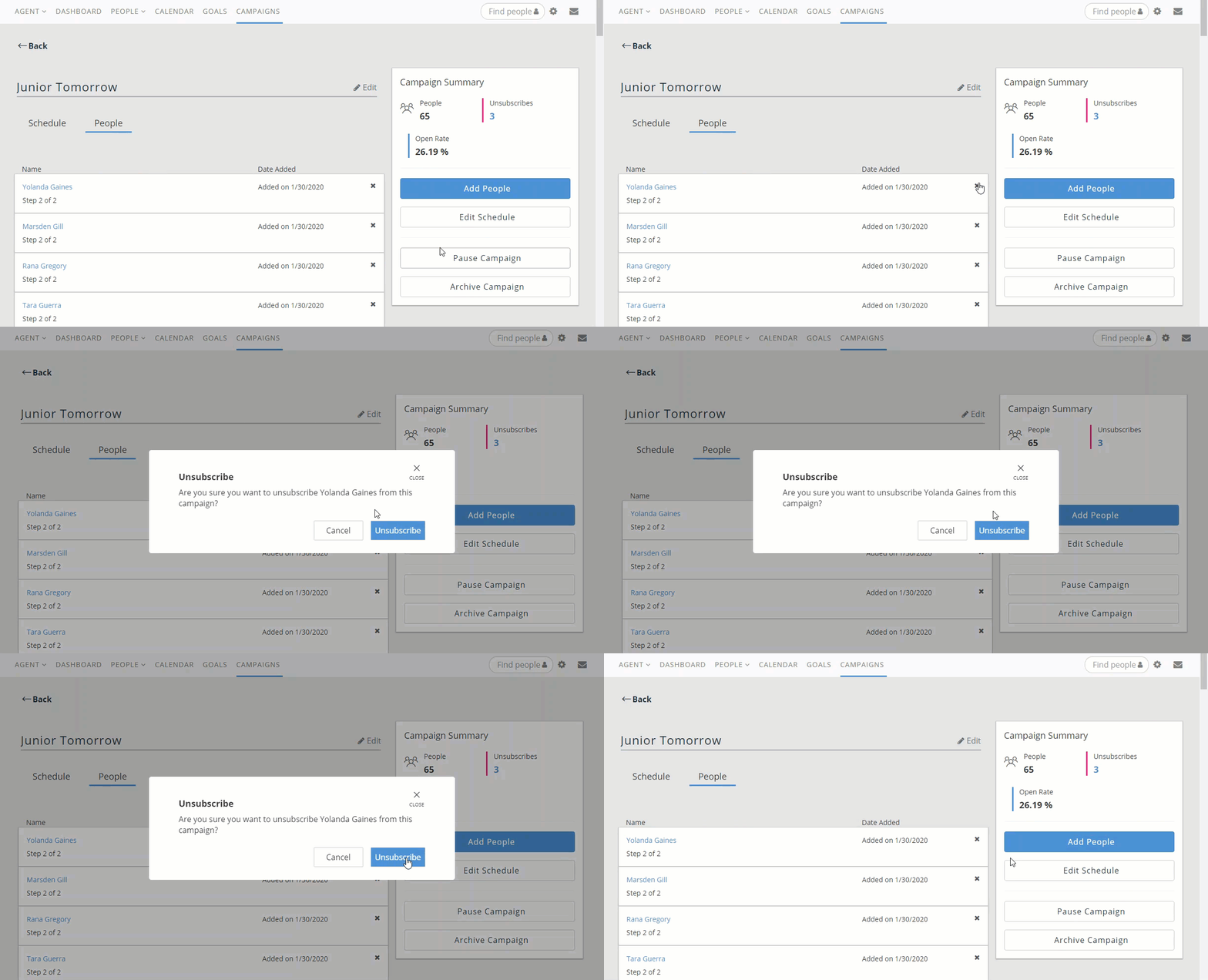
4. To remove any contact, select the X next to their name then choose Unsubscribe from the confirmation pop up (see below).
5. Once you have finished removing all desired contacts, simply select Back to return to your running campaigns (see below).
Comments
0 comments
Please sign in to leave a comment.