You can remove listings from your presentation at any time, to keep your presentation relevant and up-to-date.
Remove a Single Listing
To remove a listing from your presentation:
- Navigate to the Listings Tab in MoxiPresent.
- Find the listing you would like to remove and click the X next to the listing.
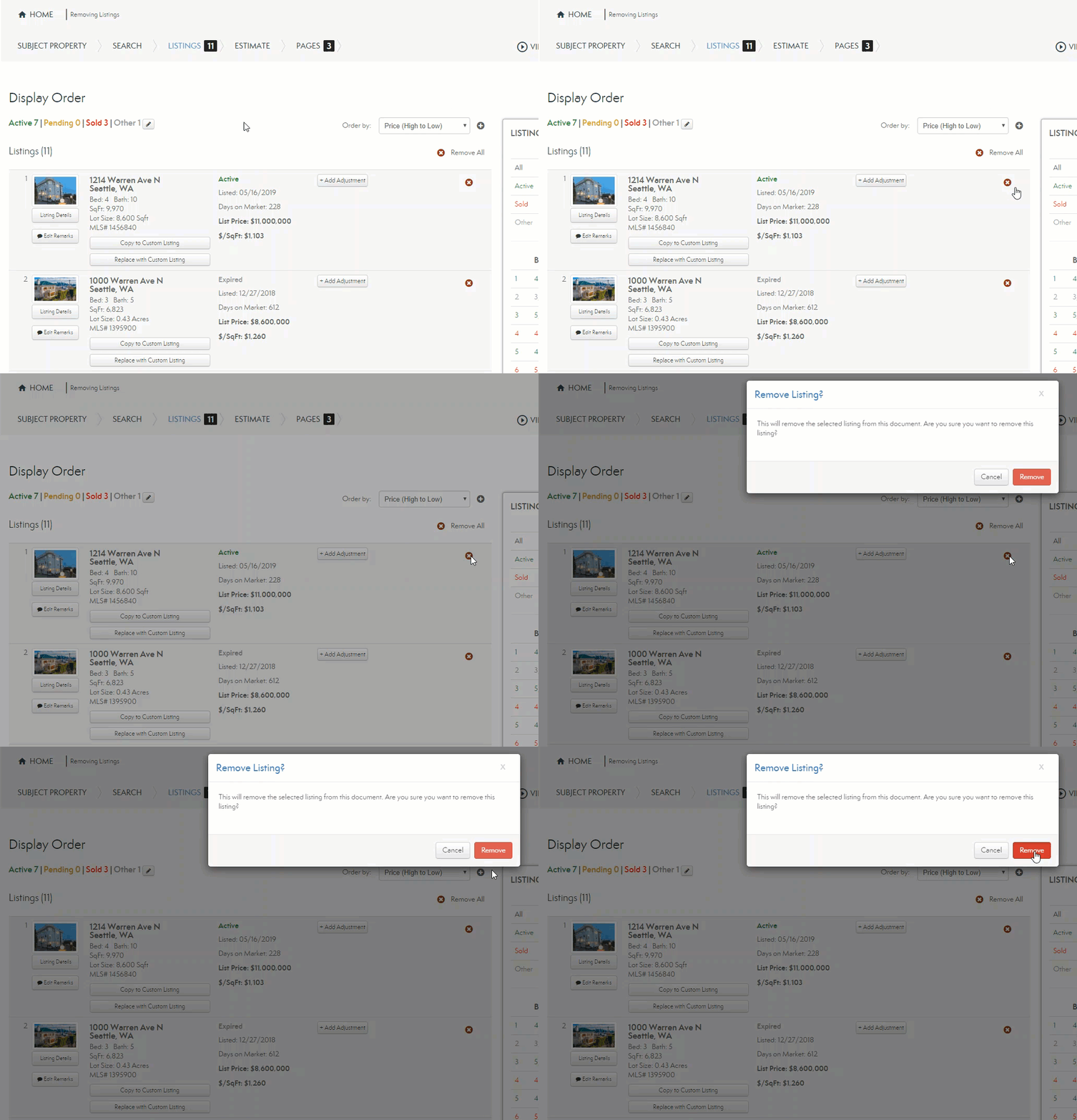
Note: A pop-up confirms you wish to remove the listing.
Remove All Listings
To remove all your listings, you use Remove All.
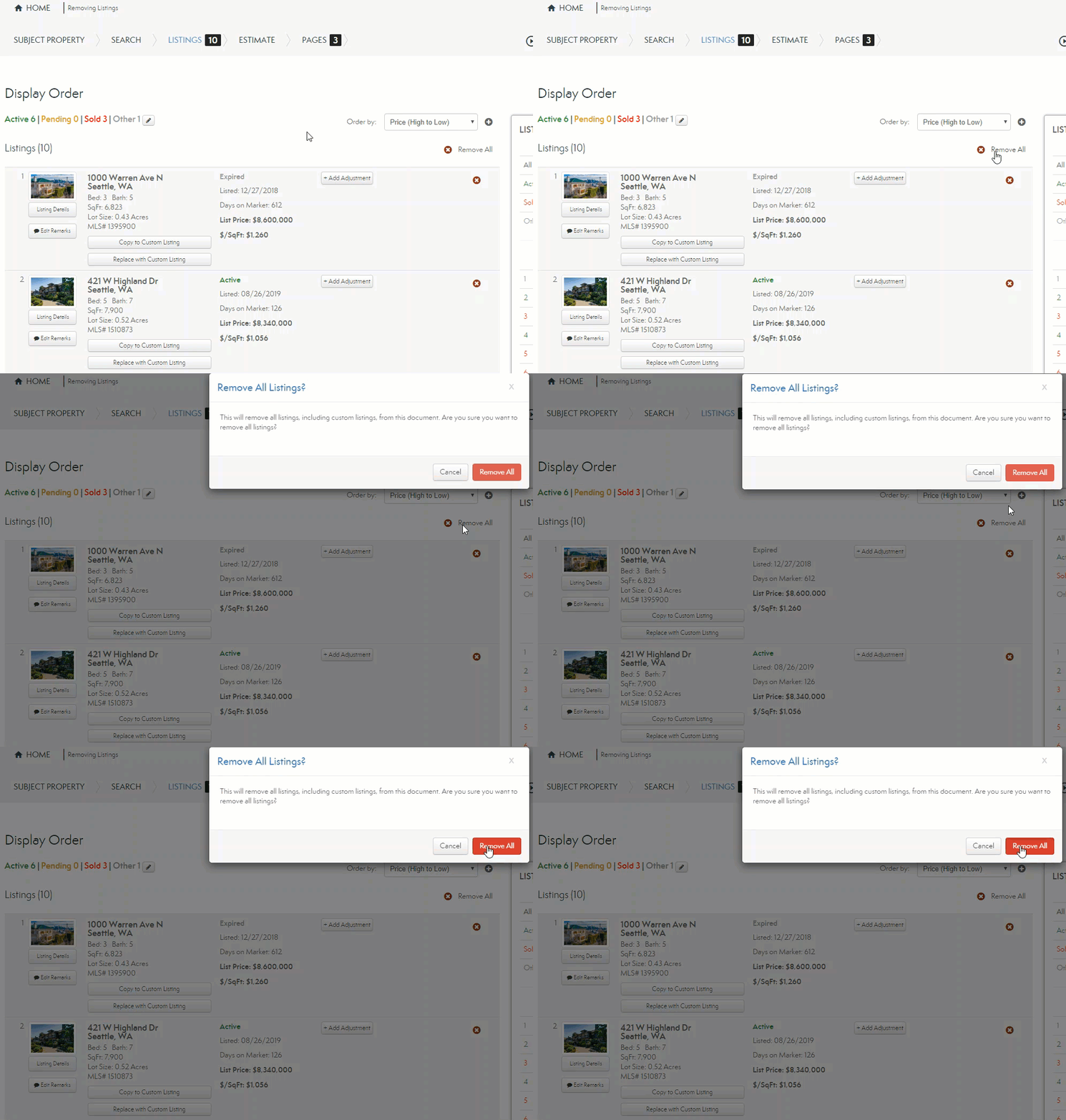
Note: A pop-up confirms you wish to remove the listings.
Once you remove the listings you no longer wish to include, your web version updates automatically. If you generated a Print Version PDF of your presentation, you need to regenerate the PDF to reflect your changes.
Comments
0 comments
Please sign in to leave a comment.