MoxiPresent lets you remove individual pages, so your presentation only includes the information you want to convey to your clients.
Remove a Page
To remove a page from your presentation:
- Navigate to the Pages Tab

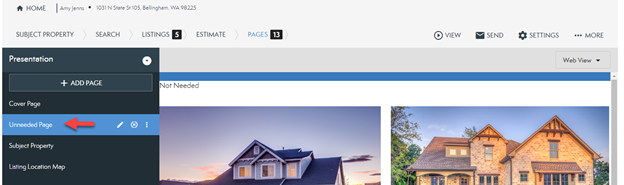
- Select the page you want to remove from your presentation.
- Click the 'X' on the page to remove it.
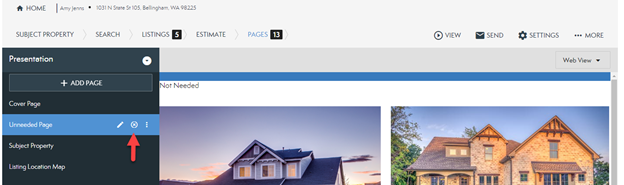
The page is removed and no longer included in your presentation.
Comments
0 comments
Please sign in to leave a comment.