Presentation Brand options allow you to choose color, font, and paragraph style. But note, this option may not be available in your account. Follow the steps below to change your presentations branding template.
- Navigate to the Pages view (see below).

- Click the drop down arrow next to Presentation (see below) and select Branding.

- On the left, select the Branding Template you would like to use (see below).
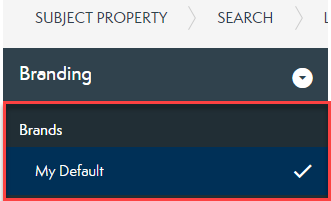
- NOTE: The check-mark appears next to your current branding. Selecting a different branding option and clicking the Apply button will update this.
- Select Apply (see below).

Your Presentation is now updated to the new brand.
Comments
0 comments
Please sign in to leave a comment.