If an agent, or staff, forgets their password, you can reset it for them. Follow the steps below to reset and initiate an email allowing the person to set a new password.
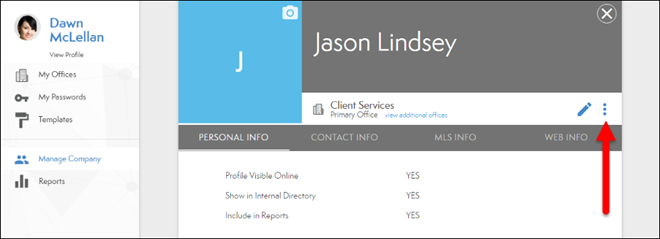
- From the Person’s profile, select the actions button (see below).
- Select Reset account password (see below).

- Select Yes, continue in the pop up (see below).

Comments
0 comments
Article is closed for comments.