The Goals tab allows you to track information related to either the GCI goal you set or the Sales Volume goal you set. This article explains some of the features that you can find in the Goals tab.
Getting to Your Goals
Find your goals by selecting Goals from the top navigation menu.
Your goals page loads to your Closed Transactions.
Exploring Your Goals
The Goals tab allows you to adjust and view information related to your GCI goal. Some available actions include:
- setting your GCI goal
- setting your commission rate
- reviewing Help Docs/Videos
- providing Feedback to our team
From the gear icon located on the top right side of the page you can:
- access your Engage Settings
- see and edit your GCI Goal
- see and edit your Commission Rate
- get a tour of the Goal tab
- find help
- provide feedback
Goal Categories
Your goals are divided into the following categories:
Closed Transactions 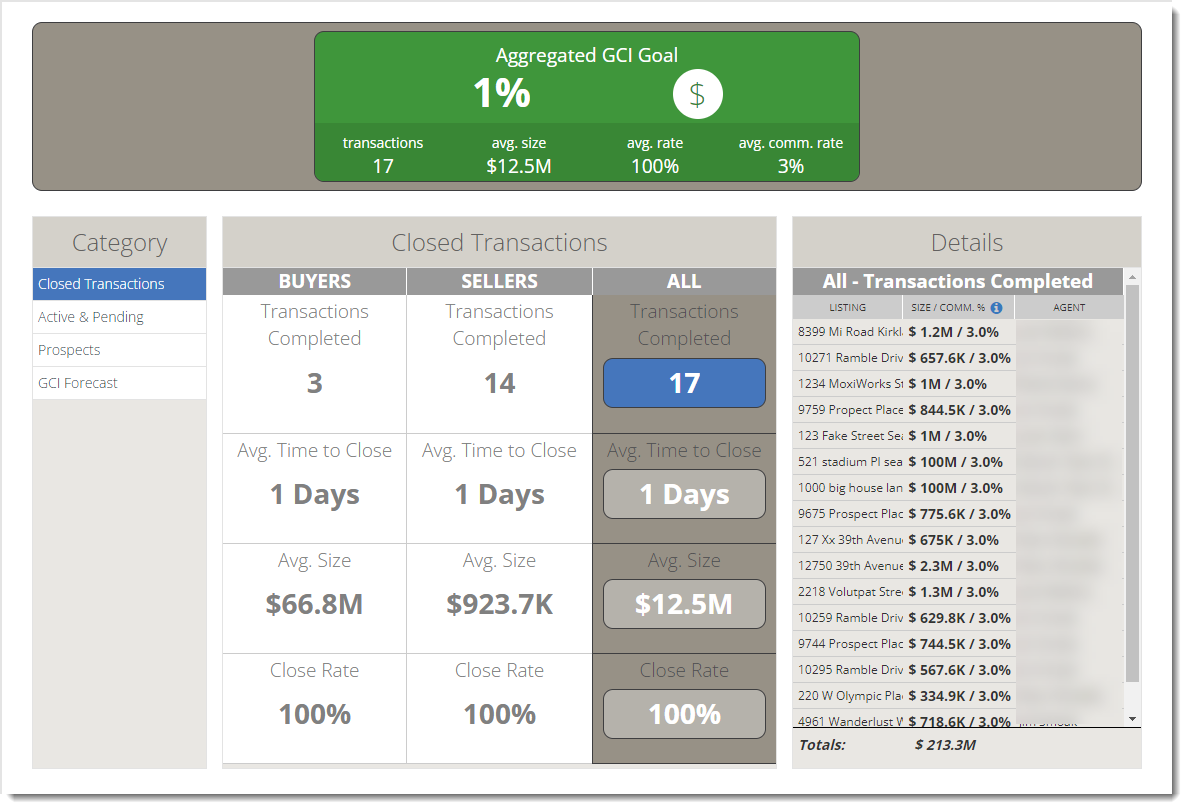
This category lists your closed Transactions and is divided into:
- Buyer statistics
- Seller statistics
- All statistics
The values presented for each are:
- Transactions Completed - Total Transactions you closed
- Average Time to Close - Average time to close a Transaction (calculated from when you moved the client from the Actives Zone to close)
- Average Size - Average price for a Transaction
- Close Rate - Rate at which you convert clients into closed transactions ( moving a client from the Pending Zone to the Prospects Zone counts as a Lost Transaction)
You can also view specific details for the statistic you selected by looking in the Details section on the right side of the page.
Note: Closed Transactions automatically appear in Goals because they are directly tied to your MLS. In order for active and pending listings to appear, they must be associated to a contact: how do I add a transaction to a contact?
Active & Pending 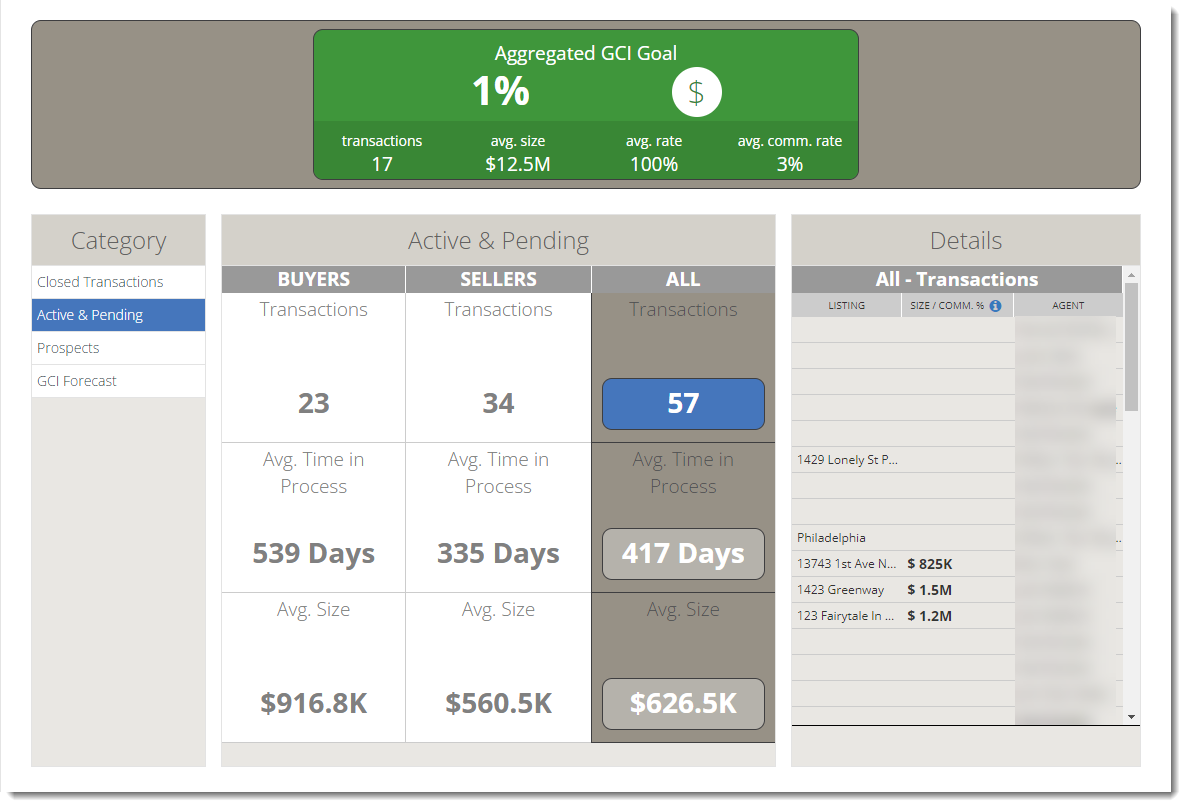
This category lists your active and pending Transactions and is divided into:
- Buyer statistics
- Seller statistics
- All statistics
The values presented for each are:
- Transactions - Total Transactions in the Active & Pending Zone
- Average Time In Process - Average time a person spends in the Active & Pending Zone
- Average Size - Average target price of Transactions in the Active & Pending Zone
You can also view specific details for the statistic you selected by looking in the Details section on the right side of the page.
Note: For a transaction to be in your Active & Pending goals, that transaction must be associated with a contact. Why are my active and pending transactions not in my GCI Goals?
Prospects 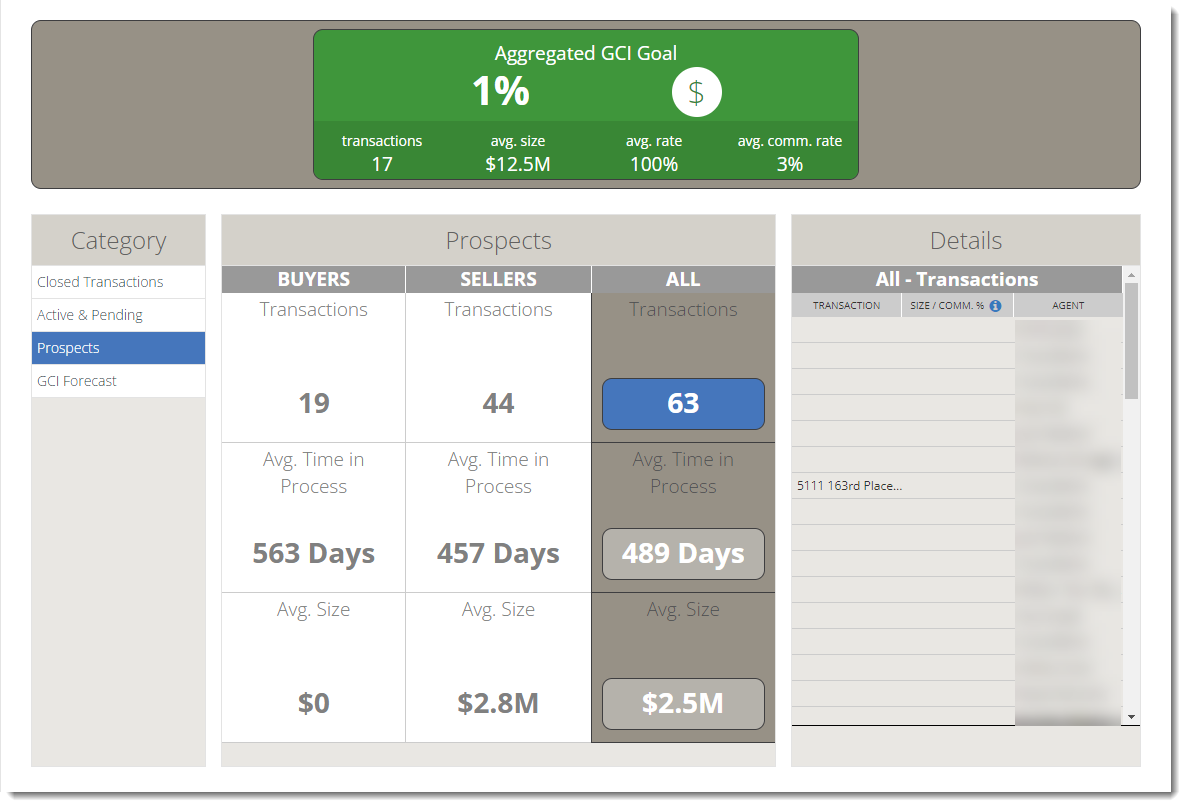
This category lists your prospective Transactions and is divided into:
- Buyer statistics
- Seller statistics
- All statistics
The values presented for each are:
- Transactions - Total Transactions in the Prospects Zone
- Average Time In Process - Average time a person spends in the Prospects Zone
- Average Size - Average target price of Transactions in the Prospects Zone
You can also view specific details for the statistic you selected by looking in the Details section on the right side of the page.
GCI Forecast 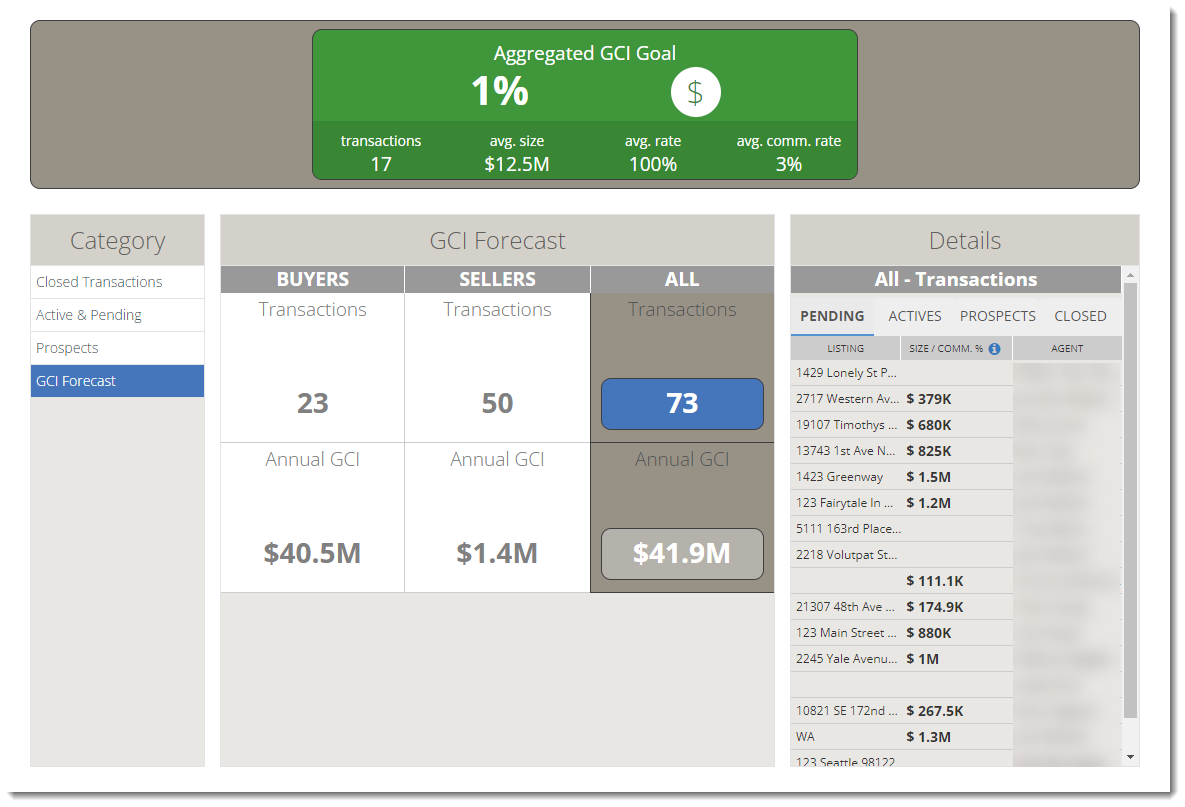
This category lists your GCI forecast, based on your current trends, and is divided into:
- Buyer statistics
- Seller statistics
- All statistics
The values presented for each are:
- Transactions - Total Transactions you have the potential to close
- Annual GCI - The potential GCI for the year if the anticipated Buyers Transactions are closed
You can also view specific details for the statistic you selected by looking in the Details section on the right side of the page.
Comments
0 comments
Article is closed for comments.