You can attach your Facebook Business Page(s) to your MoxiPromote account so you can promote your listings or service through the Facebook Audience Network. You can connect as many business pages as you need.
 Note: You must be designated as an Admin on the business page in order for it to connect successfully.
Connect a Facebook Business Page
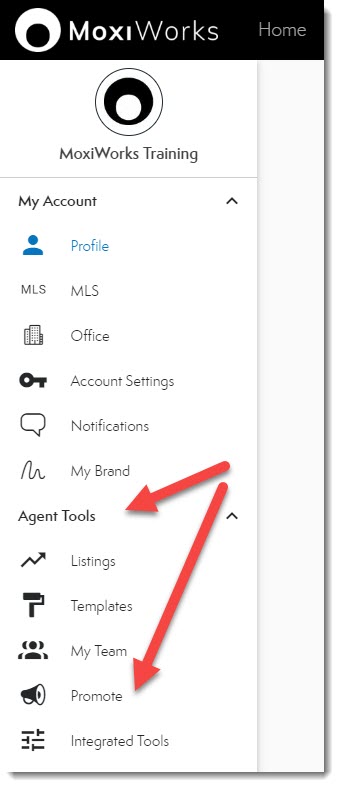
- From your Roster, select Promote under the Agent Tools section (see below).
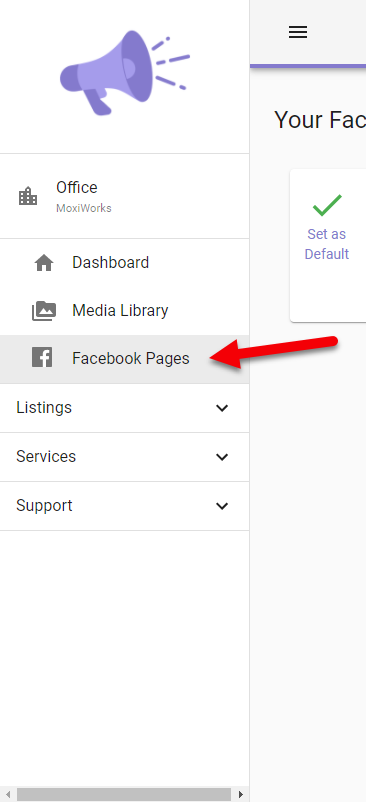
- Select Facebook Pages from the left navigation.
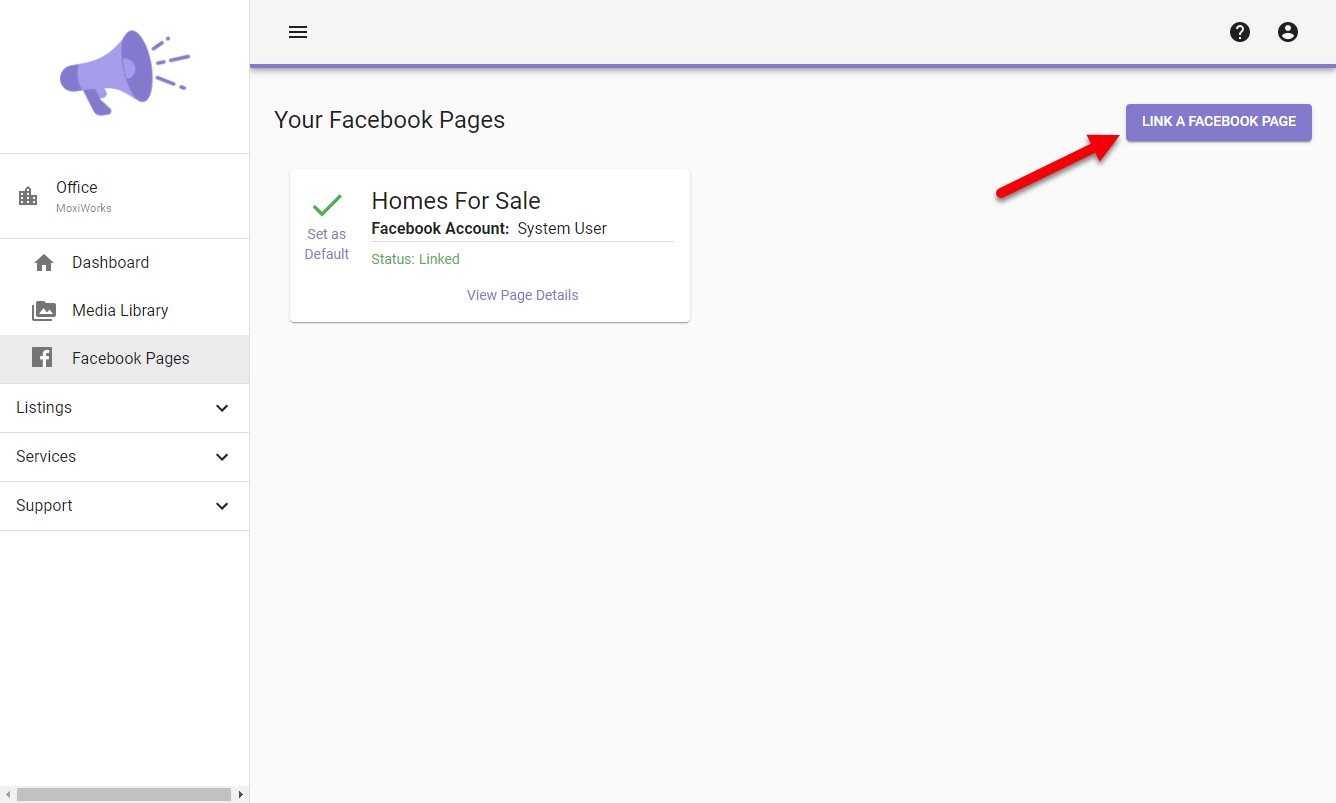
- Then Select Link a Facebook Page
- Select Continue with Facebook
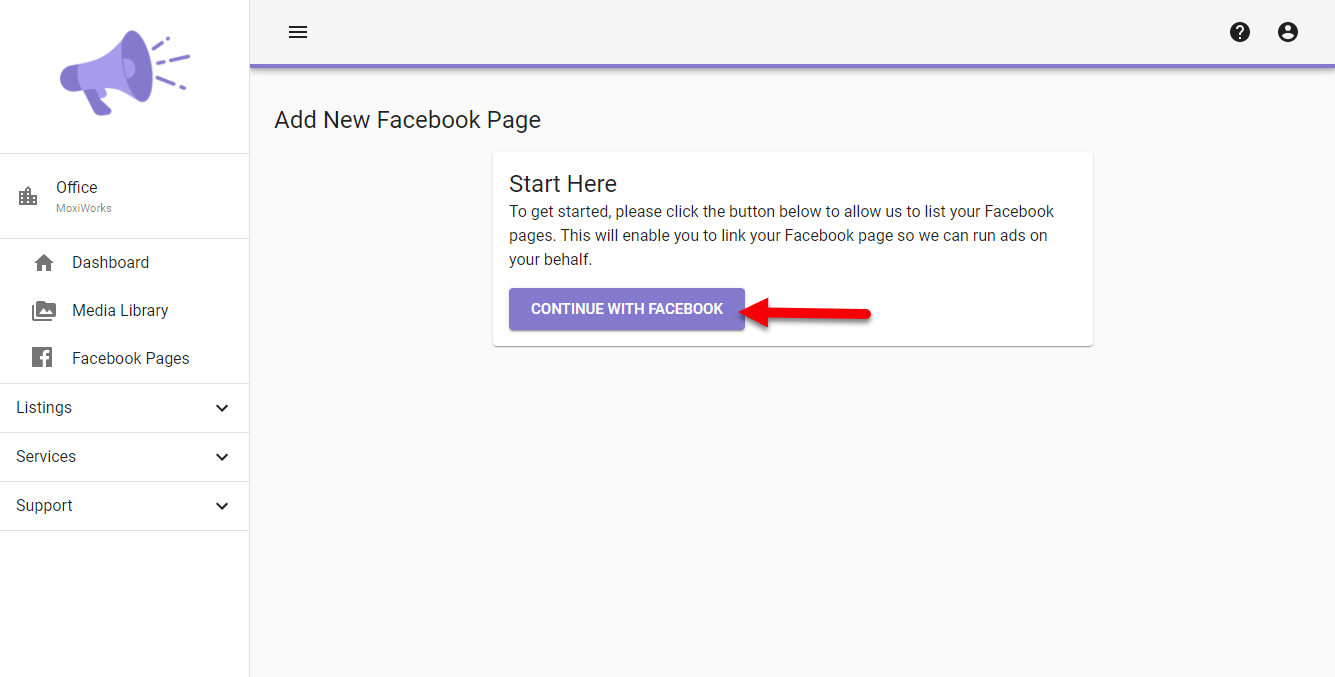 Note: this will allow MoxiPromote to display your Facebook pages to you to select which you would like to link in order to run ads.
 - Sign into your Facebook account
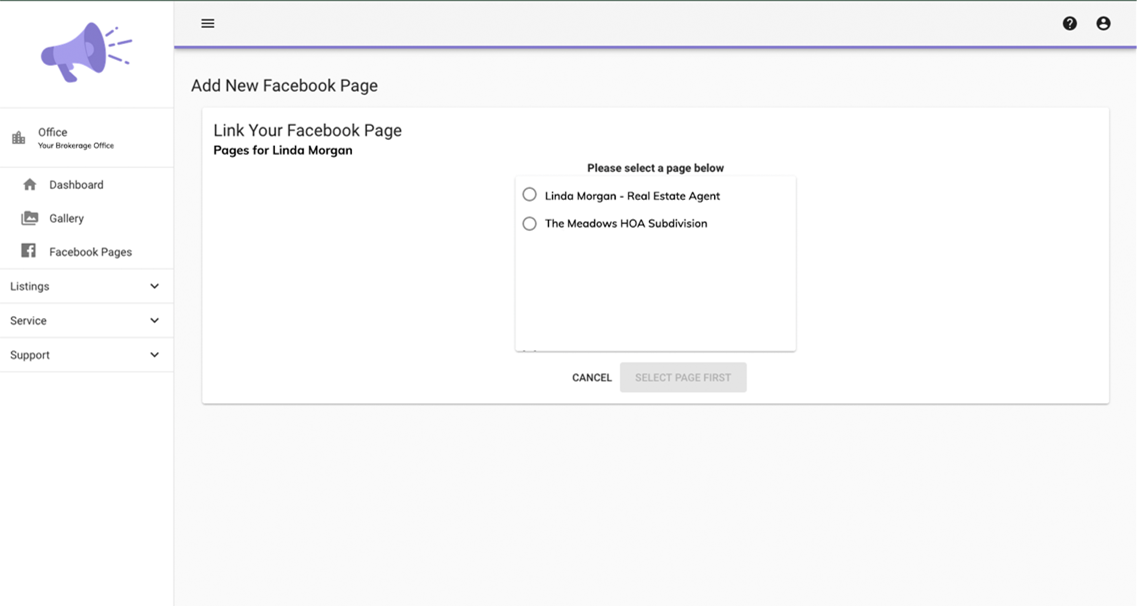
- Select your Facebook Business page from the list and confirm MoxiWorks may have access to your business page.
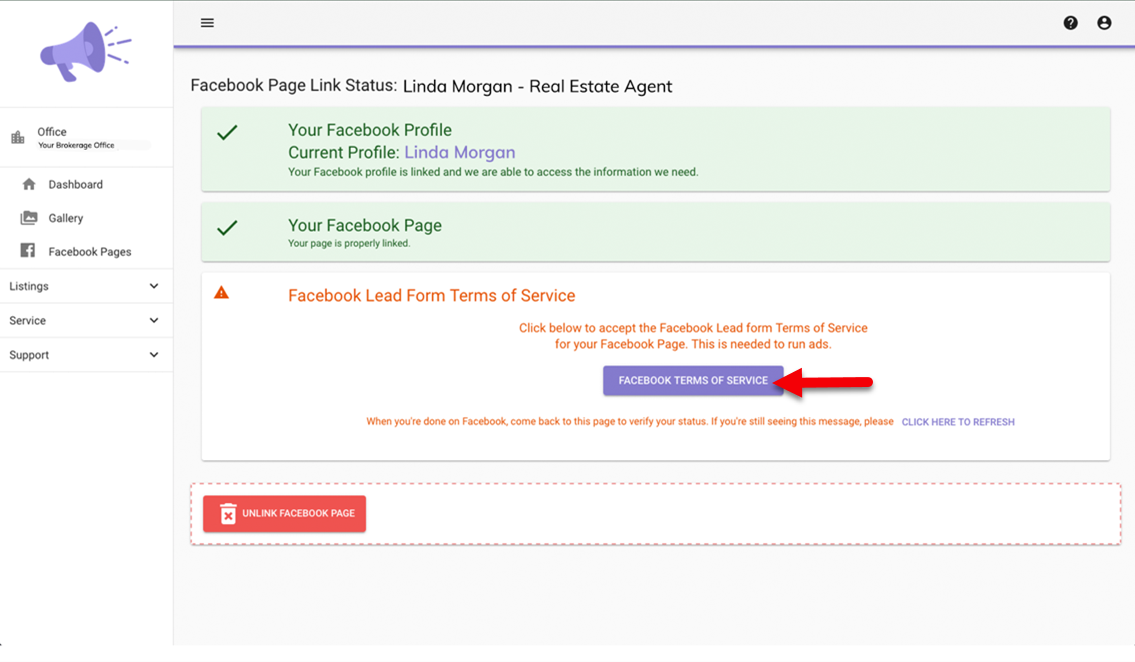
- Select the Facebook Terms of Service to allow Facebook Lead Ads to run
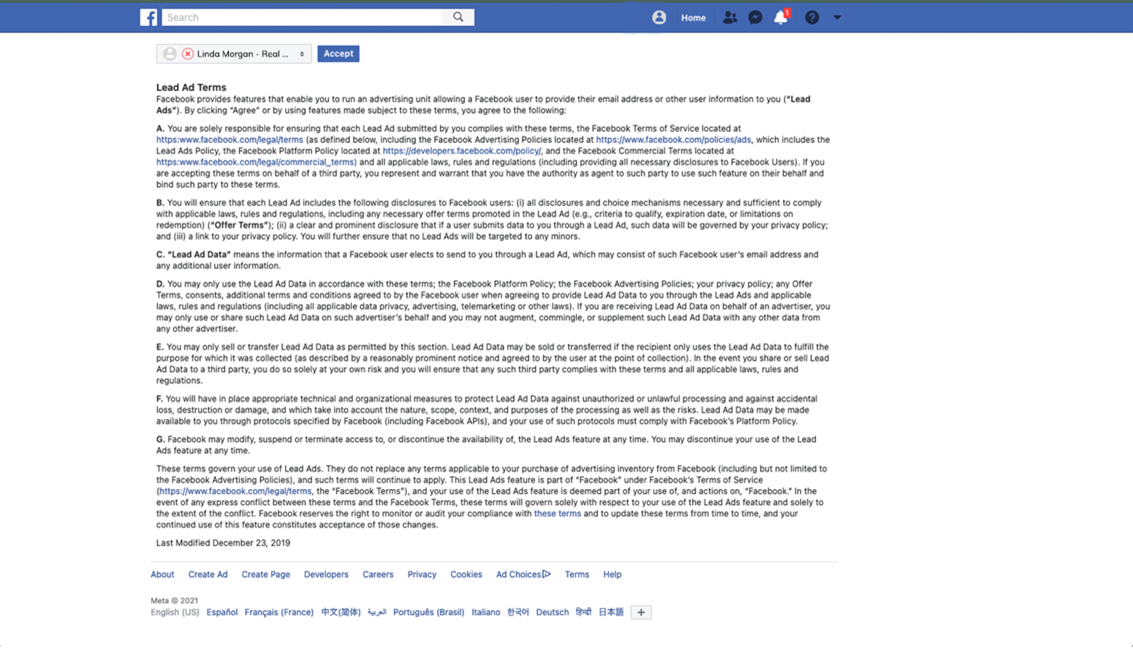
- Accept the Terms of Service
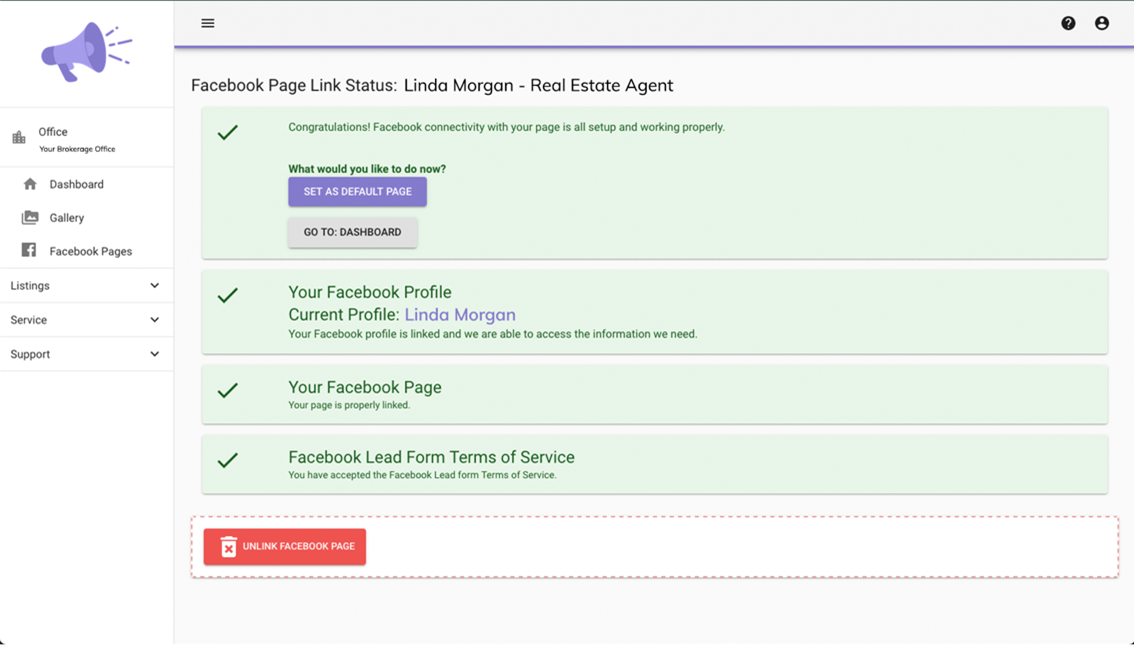
- Your Facebook Page is now connected. Repeat these steps to add any additional Facebook Business pages you are an admin for.
Comments
0 comments
Please sign in to leave a comment.